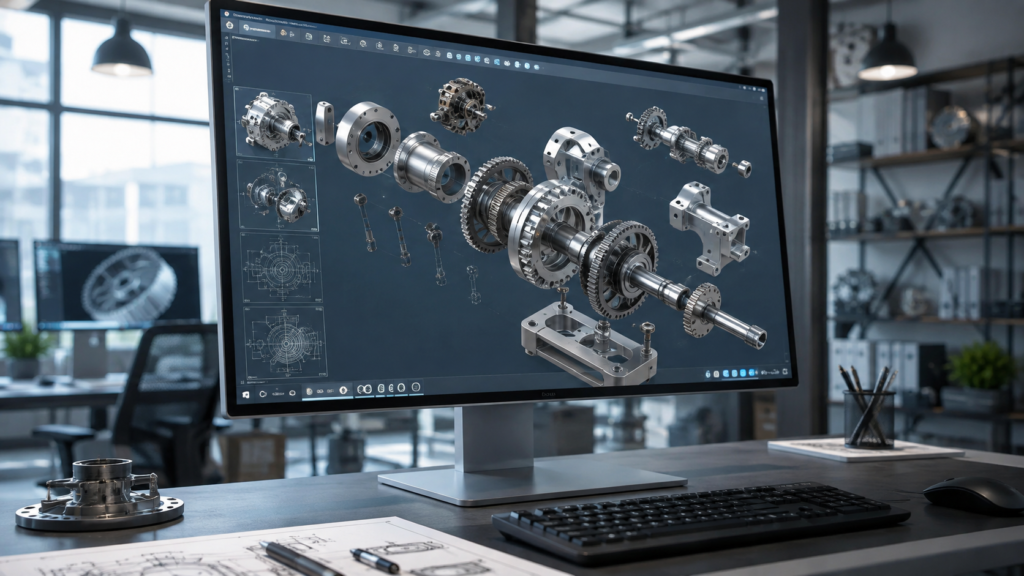

If you work with 3D design, mechanical engineering, product development, or 3D printing, you have probably come across the term grab cad while searching for models, design ideas, or CAD resources online. The name is commonly written as GrabCAD, and it has become a familiar destination for engineers, students, designers, manufacturers, and hobbyists who want to explore computer-aided design.
What makes the platform interesting is that it is not simply a place to download a few sample files. The GrabCAD Community combines a large CAD model library with discussions, tutorials, groups, design challenges, and opportunities for engineers to share their work. GrabCAD says its Community has more than 7 million members and more than 4 million free files in its online library.
For someone learning CAD, looking for a starting point for a project, or simply trying to understand how other designers approach engineering problems, grab cad can be a useful resource. The key is knowing how to search effectively, evaluate models carefully, and understand the rules around using files created by other people.
What Is Grab CAD?
Grab CAD refers to the GrabCAD Community, an online engineering community built around computer-aided design and manufacturing. The platform allows members to share CAD models, discuss technical subjects, participate in design challenges, follow other engineers, and explore engineering-related educational content.
The central attraction is the CAD library. Instead of creating every component from an empty workspace, designers can search for existing models that may help them understand dimensions, assemblies, mechanisms, or design approaches. Official GrabCAD guidance explains that members can search the library and use filters such as software, category, and popularity to narrow their results.
This makes grab cad particularly useful during the early stages of a project. A designer can examine how similar components have been modeled, compare different approaches, and potentially save time by using an appropriate reference model. However, a downloaded model should never automatically be treated as a ready-to-use engineering component without checking its accuracy and suitability.
Why Engineers and Designers Use Grab CAD
One of the biggest advantages of grab cad is the variety of models available to explore. Mechanical parts, assemblies, tools, machines, consumer products, and many other types of designs can be found throughout the Community Library. This variety makes the platform useful for both practical projects and learning.
Students can use CAD models as visual references when studying mechanical design, while experienced engineers can use them to investigate alternative approaches. A model can sometimes explain a mechanical concept much faster than a written description because users can inspect its geometry and assembly structure.
The community aspect is another major reason people use the platform. GrabCAD has developed beyond a simple file repository and includes tutorials, questions, groups, and challenges. The company has described the Community as a place where engineers, hobbyists, students, and 3D-printing creators can exchange knowledge and designs.
How the Grab CAD Library Works
The GrabCAD Library is designed to make CAD model discovery relatively straightforward. Users can enter a search term and then refine results with available filters. According to GrabCAD’s help documentation, models can be filtered by popularity, category, and software, which can be particularly useful when a search returns a large number of results.
Search wording matters more than many beginners realize. A broad phrase such as “bracket” may produce an enormous number of results, while a more descriptive phrase can help identify a closer match. Thinking about the component’s function, approximate type, and relevant CAD software can make the search process more efficient.
It is also worth checking the model page before downloading anything. Look at the preview images, description, file information, creator details, and available formats. A visually attractive model is not necessarily the best technical match for your project, so a few minutes of evaluation can prevent considerable editing work later.
Finding the Right CAD Model
Finding a model on grab cad is only the first step. The more important task is determining whether the model is actually appropriate for your project. Start by identifying the exact purpose of the model. Are you looking for inspiration, a reference, an educational example, a prototype component, or something that will eventually be manufactured?
Next, examine the available files and software information. CAD systems use different native formats, and compatibility can affect how easily you can edit a downloaded design. If a model is supplied in a format that your software handles well, it may be easier to modify than a model that requires conversion.
You should also pay attention to the creator’s description. GrabCAD’s own upload guidance recommends clear project names, useful descriptions, relevant tags, and appropriate categories because these details help other members understand and find a model.
Using Grab CAD Models Responsibly
One of the most important things to understand about grab cad is that downloading a model does not mean you automatically own the original design. The platform’s guidelines emphasize respect for the creators who upload their work.
GrabCAD states that models are free for personal use, but different rules can apply when a model is used publicly or commercially. Its guidance says that commercial public use requires permission from the original designer, along with appropriate attribution.
This distinction is especially important for businesses. If a designer downloads a model for personal experimentation, that situation is different from incorporating someone else’s design into a commercial product. Before using a community model commercially, check its usage conditions and obtain the necessary permissions from the original creator.
Grab CAD for Students and Beginners
For students, grab cad can be an excellent source of visual learning material. CAD can be difficult to understand when lessons focus entirely on sketches, dimensions, constraints, and feature trees. Seeing finished models can give beginners a clearer idea of how theoretical concepts become practical designs.
Students can also compare models created by different designers. Two people may approach a similar component using different feature sequences or modeling strategies. Studying those differences can help learners develop a stronger understanding of design intent rather than simply memorizing software commands.
Beginners should still avoid blindly copying models. The most valuable learning experience comes from understanding why a model was built in a particular way. Recreating a simple component yourself and then comparing it with an experienced designer’s model can reveal useful lessons about geometry, organization, and efficiency.
Grab CAD and 3D Printing
CAD models are closely connected to 3D printing, and GrabCAD has long been associated with the engineering and maker communities. A suitable CAD model can become the starting point for a prototype, educational print, or design experiment.
However, not every CAD model is immediately suitable for 3D printing. Before sending a design to a slicer, you should check whether the geometry forms a printable solid, whether there are unnecessary gaps, whether wall thicknesses are appropriate, and whether the model needs support structures.
GrabCAD’s community guidelines also make an important distinction around model use. Its help center explains that downloaded models may generally be modified locally and printed for personal use, while commercial applications require additional permission from the original creator.
Tips for Getting Better Results From Grab CAD
A smart approach to grab cad starts with specific searches. Instead of searching for a very broad category, include meaningful terms related to the component, mechanism, or intended application. This can reduce irrelevant results and help you reach useful models faster.
It is also helpful to compare multiple models rather than immediately choosing the first result. Look at different modeling methods, file formats, creator descriptions, and preview images. Comparing alternatives can reveal which model is easiest to understand or adapt.
Finally, keep track of the source of any model you use. Save the original model page and creator information with your project notes. This makes attribution easier and helps you return to the original design if you need clarification or a newer version.
Building Your Own Grab CAD Profile
GrabCAD is not only useful for downloading models. Engineers and designers can also use the platform to showcase their own work. Uploading original models can help create an online portfolio and allow other members to discover a designer’s skills.
GrabCAD’s official upload instructions encourage creators to provide native CAD files alongside neutral versions when possible. They also recommend clear project descriptions, useful tags, categories, and well-organized renderings.
A strong profile can therefore become more than a collection of random files. By consistently publishing high-quality work and participating constructively in discussions, designers can demonstrate both technical ability and communication skills.
Grab CAD and Engineering Collaboration
Engineering is rarely a completely isolated activity. Designers often need feedback from colleagues, manufacturers, customers, students, or other specialists. The GrabCAD Community provides an environment where people with different experience levels can discuss design topics and exchange knowledge.
The platform’s community guidelines encourage members to share engineering content, answer questions, create tutorials, and provide constructive feedback. This makes the Community useful for people who want to learn from practical experience rather than relying exclusively on formal courses.
It is this combination of models and human interaction that makes grab cad valuable. A CAD file can show what was designed, but a discussion or tutorial can explain why a particular decision was made.
Is Grab CAD Still Useful Today?
Yes, especially for people who regularly work with CAD, engineering, design, or 3D printing. GrabCAD’s current company information describes a Community with millions of members and more than 4 million free files, showing that the platform remains a substantial engineering resource.
At the same time, users should approach community-created files with professional judgment. A model created for learning or visualization may not meet the requirements of a production environment. Dimensions, tolerances, materials, manufacturing processes, and intellectual-property considerations all need to be evaluated separately.
The best way to use grab cad is therefore as a resource rather than an automatic replacement for engineering work. Use models to learn, research, prototype, compare ideas, and accelerate appropriate parts of your workflow while maintaining responsibility for the final design.
Final Thoughts on Grab CAD
Grab CAD, more commonly written as GrabCAD, has become a useful online destination for people interested in computer-aided design and engineering. Its large library gives users access to an enormous range of community-created models, while tutorials, questions, groups, and challenges add educational and collaborative value.
Whether you are a student opening CAD software for the first time or an experienced designer searching for a reference model, the platform can help you discover ideas and learn from other engineers. The real value comes from using those resources thoughtfully rather than simply downloading files.
If you plan to use a model in a serious or commercial project, always verify the technical quality of the design and check the applicable usage permissions. Used responsibly, grab cad can be a practical part of a modern CAD learning, research, and design workflow.
Frequently Asked Questions About Grab CAD
What is Grab CAD used for?
Grab CAD, officially branded as GrabCAD, is used to discover and share CAD models, learn about engineering and design, participate in community discussions, and explore CAD-related resources.
Can I download CAD models from Grab CAD?
Yes. The GrabCAD Community Library provides CAD models that members can access, although users should review the applicable usage rules before using downloaded models for anything beyond personal purposes.
Is Grab CAD useful for students?
Yes. Students can use CAD models as references for learning mechanical design, modeling techniques, assemblies, and engineering concepts.
Can Grab CAD models be used commercially?
Not automatically. GrabCAD’s guidance states that commercial public use may require explicit permission from the original designer and proper attribution.
Is Grab CAD the correct spelling?
The official brand is GrabCAD, written as one word with capital letters. “Grab CAD” or “grab cad” may appear as search variations, but GrabCAD is the proper brand spelling.
You May Also Read: publixa